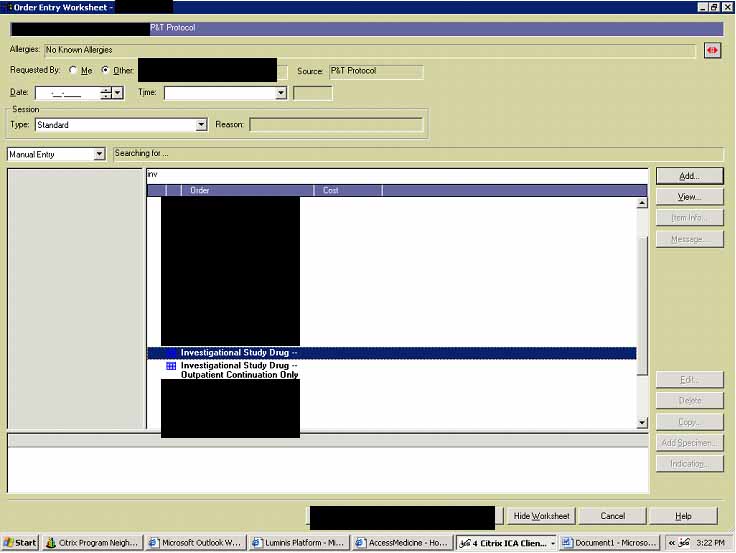
The physician picks his/her patient, clicks on the order entry (clipboard icon) and he/she would get to the following screen where he/she will type in ‘inv’ (or any length of word ‘investigational’) and tab/enter:
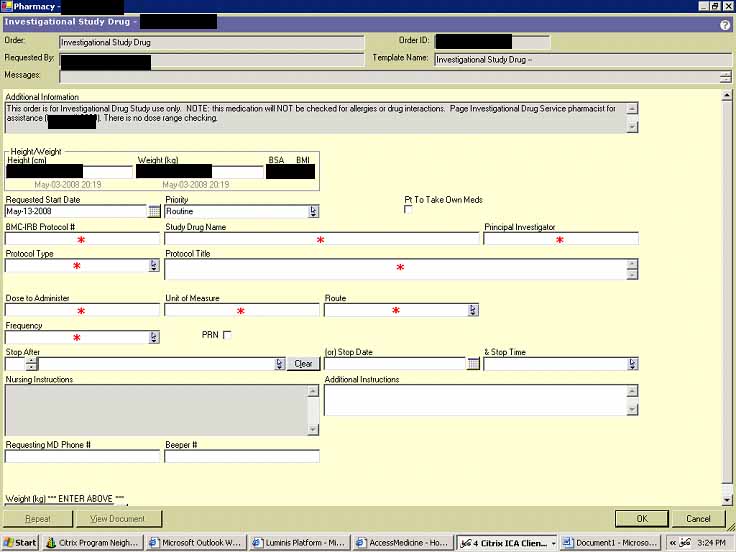
Then MD can pick the ‘Investigational study drug’ which is a general entry for the investigational medication, or an entry specifically preset for his/her study (for studies with numerous subjects, the PI may choose to work with the IT and Pharmacy staff to enter a general template for the study drug, and only the specific subject’s name and directions will need to be entered for each case). On the following screen, SCM will give him/her options to fill in pertinent information including additional instructions. All fields with a red flake have to be entered: information about the study drug (Study IRB number, title, PI’s name, study drug name, etc.) as well as the subject’s name, MR number, and the directions, dosage, dates, etc. Once completed, he/she would click OK at the bottom of the screen and would go on to verify it (as an MD) after final review.
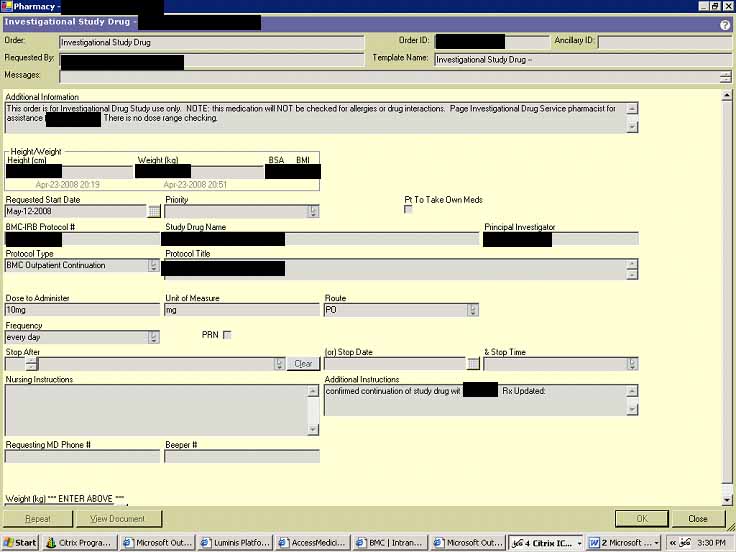
Below is a screen from one of the current inpatients in XXXX study where resident entered an investigational medication order upon consultation and approval by a PI, which had to be documented.
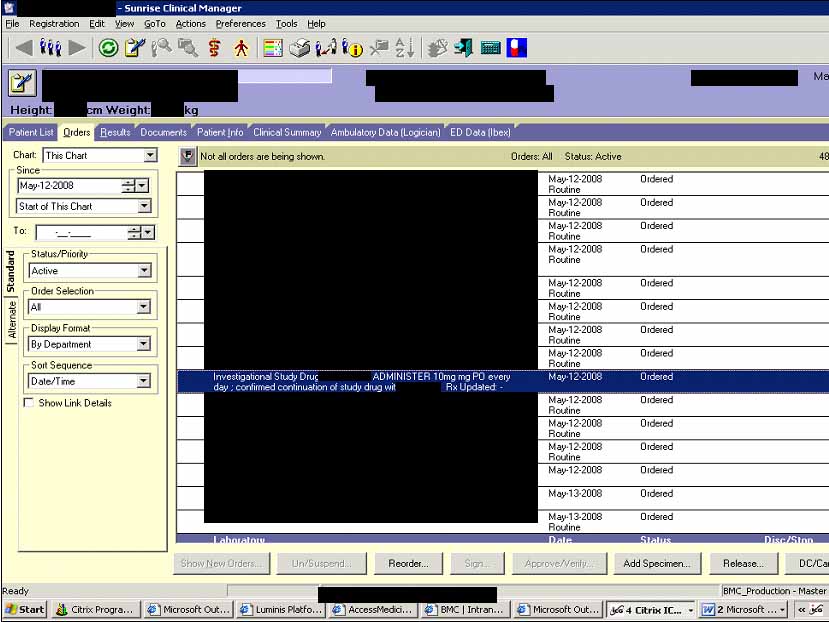
Once verified by a pharmacist, the RN will see the entry listed like this:
Obviously, every prescribing research physician must be trained in the SCM order entry process.